MediaNamer
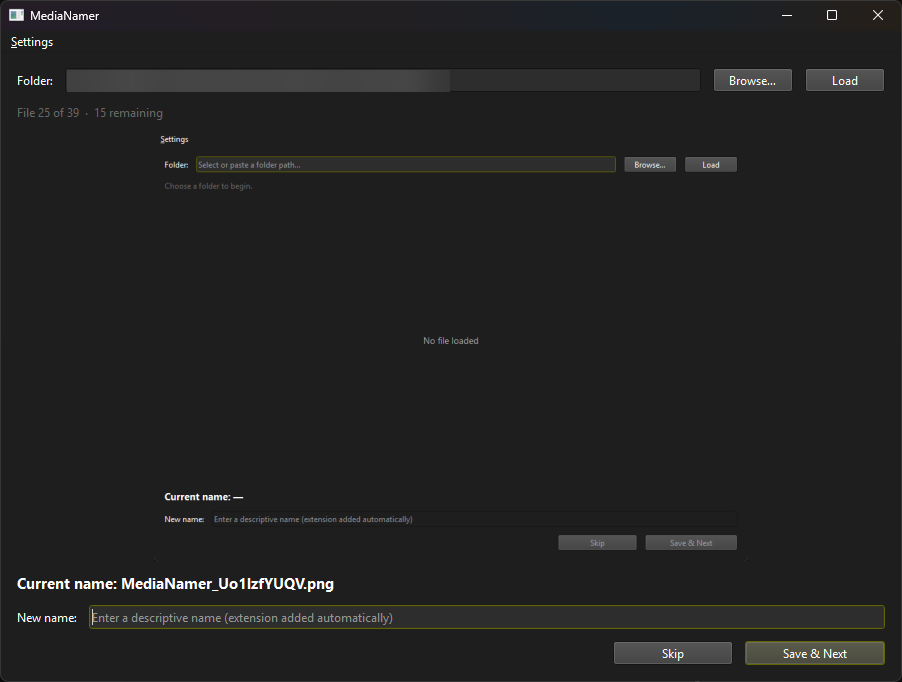
Rename images and videos with auto-generated filenames to meaningful names. Scan a folder, preview each file, and rename one at a time.
PythonDesktop AppPyInstallerMediaFile Management
MediaNamer scans a folder, shows only media files whose names look non-descriptive (timestamps, random IDs, downloader names, camera defaults), and lets you preview each file and rename it one at a time.
Usage
- Enter or browse to a folder, then click Load.
- Each file with a non-descriptive name is shown with a preview.
- Type a new name (extension is kept automatically).
- Click Save & Next to rename, or Skip to leave unchanged.
Features
- Image and GIF previews scaled to fit; GIFs play animated.
- Video playback with click-to-play/pause and a seekbar.
- Optional subfolder scanning, video autoplay, and loop settings — all persisted between sessions.
- Standalone Windows executable available from the GitHub releases page.
Supported media includes common image formats (JPG, PNG, GIF, WebP, …) and video formats (MP4, MOV, MKV, WebM, …).